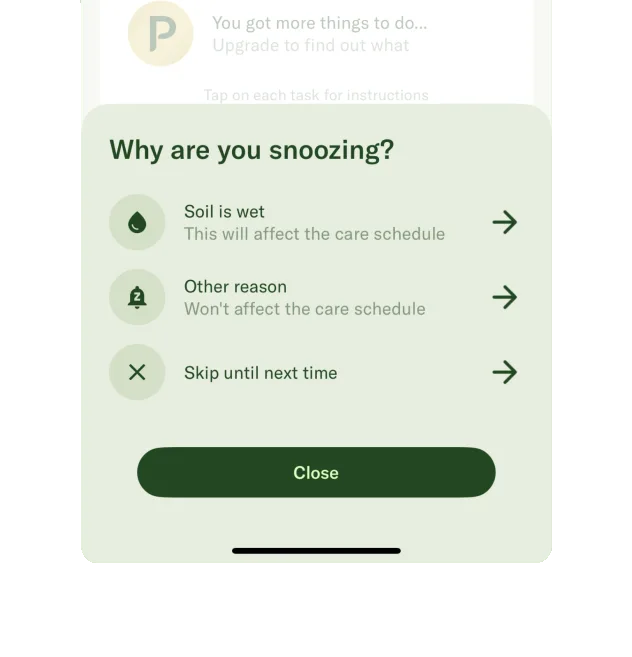
Lil PlannerEXAMPLE 01


Give similar entries recognisable variation
Lil Planner assigns contextual icons to routine tasks and lets the user change them. Appropriate variation can help a list of similar tasks remain distinguishable.
Repeated irrelevant content can become easy to ignore.
01 / UNDERSTAND
People learn which areas are useful and which can be skipped. Repetitive or promotional-looking messages may be overlooked, including important messages placed in the same location. Make relevance and priority clear.
Similar-looking content can be ignored within a single flow or after repeated exposure over time. A person may skim nearly identical onboarding questions and miss a crucial difference. They can also learn to disregard familiar advertising positions. Distinguish meaningful changes without making every repeated component visually unpredictable.
02 / RECOGNISE
Examples of how the principle can appear in an interface.
Lil Planner assigns contextual icons to routine tasks and lets the user change them. Appropriate variation can help a list of similar tasks remain distinguishable.
Netflix is used as an example of changing the presentation of titles people have encountered. The lesson is to reconsider unnoticed content, while preserving enough identity for recognition.
YouTube’s repeated advertising patterns can train viewers to look for Skip instead of attending to the message. Repeated placement alone does not guarantee that information will be noticed.
03 / CONNECT
Repeated presentation can reduce notice and cause people to miss subtle differences between questions. Variation should communicate something useful while retaining a stable structure.
Possible influences to investigate, rather than guaranteed outcomes for every product.
04 / APPLY
Remove stale messages
Separate service status from promotion
Place information near the task it affects
05 / EXPLORE WITH UPSLIDE
Use a practical guide, read a deeper explanation, or examine a related Upslide project.
Distinguish information that supports the current task from repeated visual noise.
Compare grouping and hierarchy while keeping the actual information unchanged.
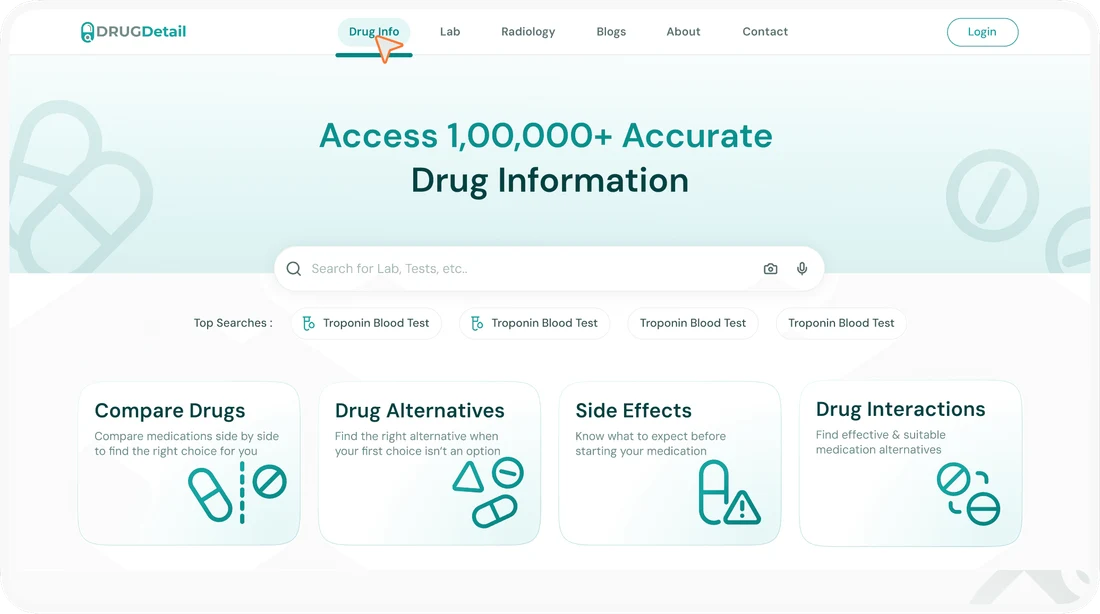
Explore Drug Detail’s effort to make useful medical information easier to locate.
CONNECT THE IDEAS
Keep exploring